
Download AI Suite – Local AI Tools, Offline Productivity, Document Processing, Creative Enhancements
Overview
AI Suite is a comprehensive software suite developed by Software Tailor, designed to deliver a range of local artificial intelligence tools directly to the Windows desktop. The application operates entirely offline, prioritizing data privacy by ensuring that no user information is transmitted to external servers. This makes it a secure solution for individuals and professionals who require powerful AI capabilities without compromising confidentiality. The app is particularly suited for users seeking enhanced productivity, document analysis, creative development, and multilingual communication—all without an internet connection.
AI Suite addresses key challenges related to data security, workflow efficiency, and accessibility in AI-powered tools. It enables users to perform tasks such as text extraction from documents, image generation from text prompts, video subtitle creation, and real-time language translation, all within a single, unified interface. This is especially valuable for professionals in fields like education, content creation, legal documentation, and international business, where privacy and offline functionality are critical.
Although the developer did not provide additional technical details about the underlying AI models or processing architecture, the application’s design suggests a focus on local inference and efficient resource utilization. The integration of multiple AI tools into one platform reflects a growing trend toward all-in-one productivity solutions that reduce dependency on cloud-based services. In the current digital landscape, where data privacy concerns are increasingly prominent, AI Suite positions itself as a reliable, secure, and user-centric alternative for those who value control over their digital environment.
Key Features & Functionality
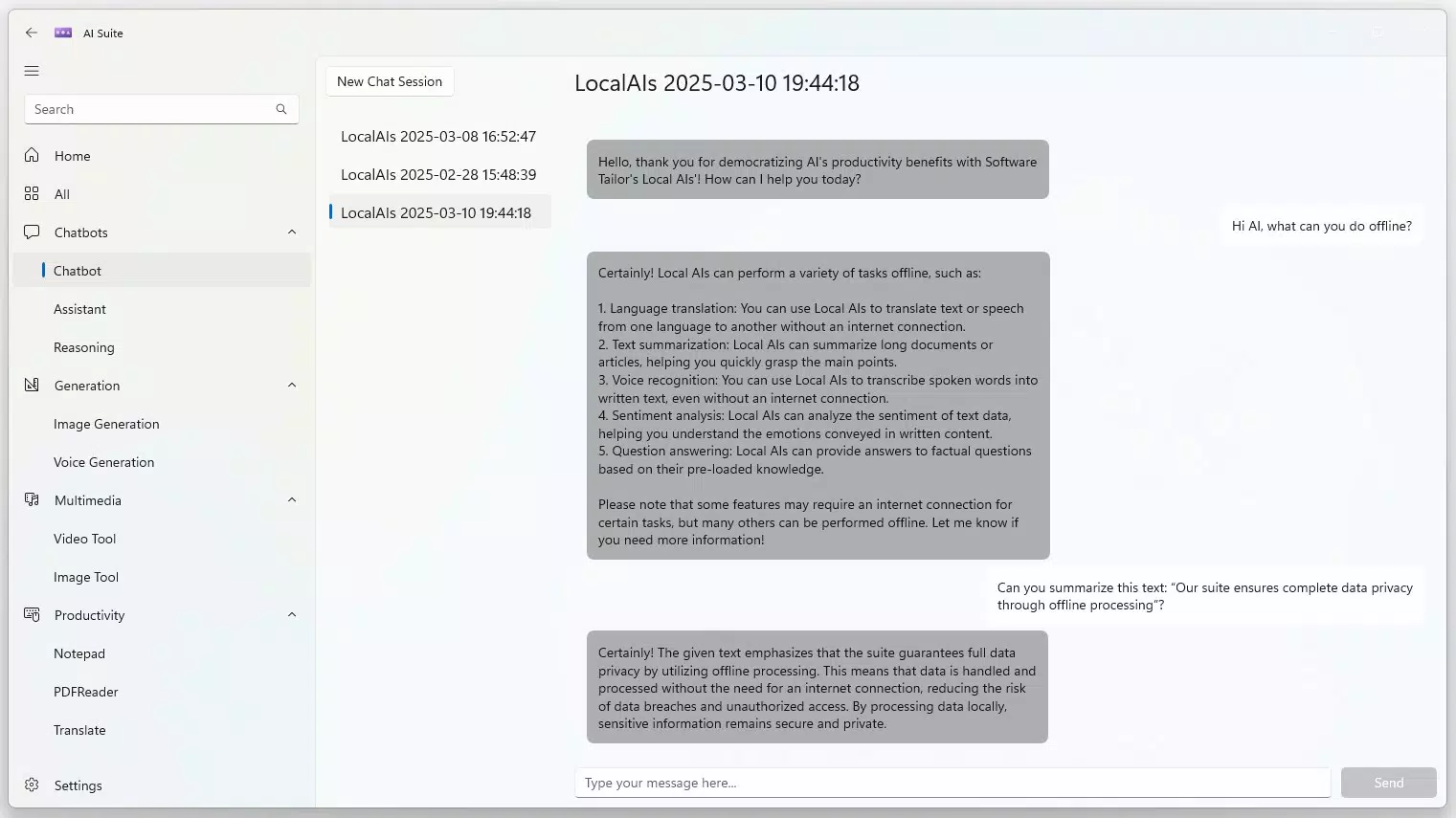
- Local AI Chatbot: Engage in natural, real-time conversations with an intelligent assistant that operates entirely on-device. Ideal for brainstorming, task reminders, and quick information retrieval without exposing sensitive data to third parties.
- Document Processing Tools: Extract and analyze text from documents and PDFs securely. This feature supports workflows involving research, legal review, academic writing, and data entry, all without uploading files to the cloud.
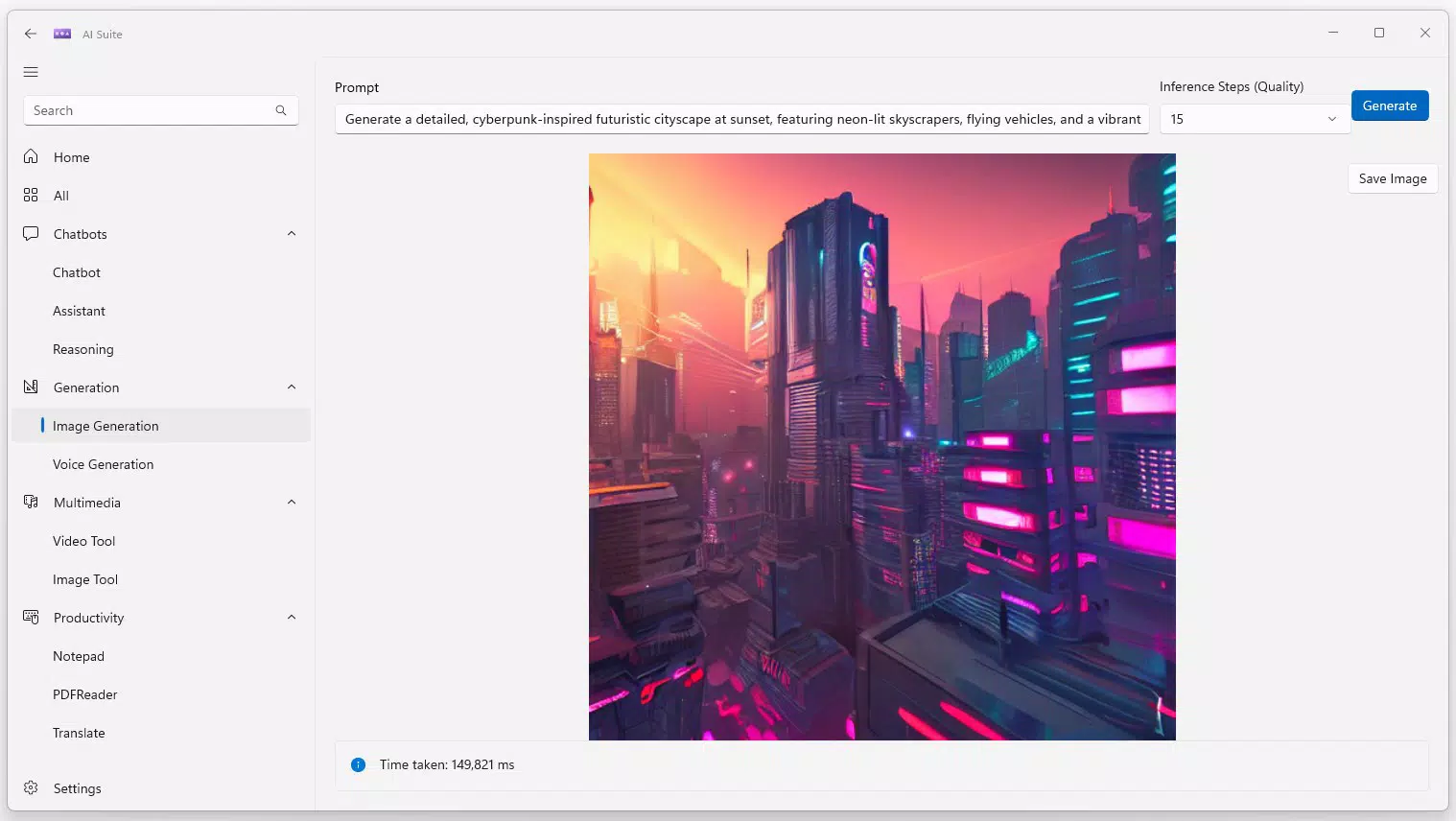
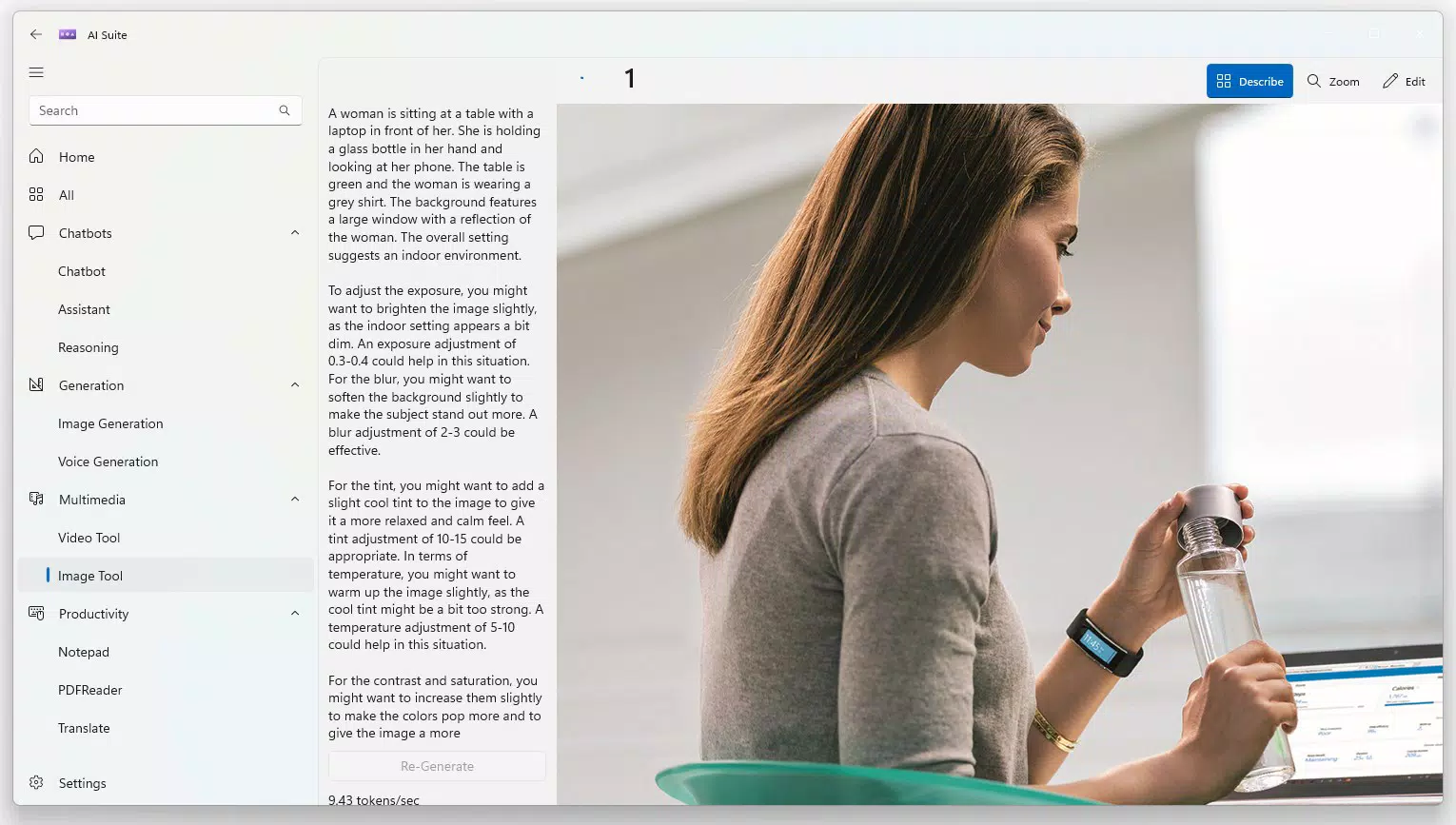
- Creative Enhancements: Generate images from textual descriptions, edit photos, and auto-generate subtitles for video content. These tools empower content creators, educators, and marketers to produce multimedia material independently and offline.
- Language Translation: Translate text between languages without requiring an internet connection. This functionality supports seamless communication in multilingual environments, such as remote collaboration or international correspondence.
- Unified User Experience: All tools are integrated into a single application with a consistent interface. This reduces context switching, streamlines task management, and enhances overall efficiency across diverse use cases.
For example, a freelance writer can use the local chatbot to draft content, extract references from PDFs, and generate accompanying visuals—all without leaving the app. Similarly, a university student working on a multilingual research paper can translate sections, analyze source materials, and create annotated visuals, all while maintaining full control over their data.
Interface, UX & Performance
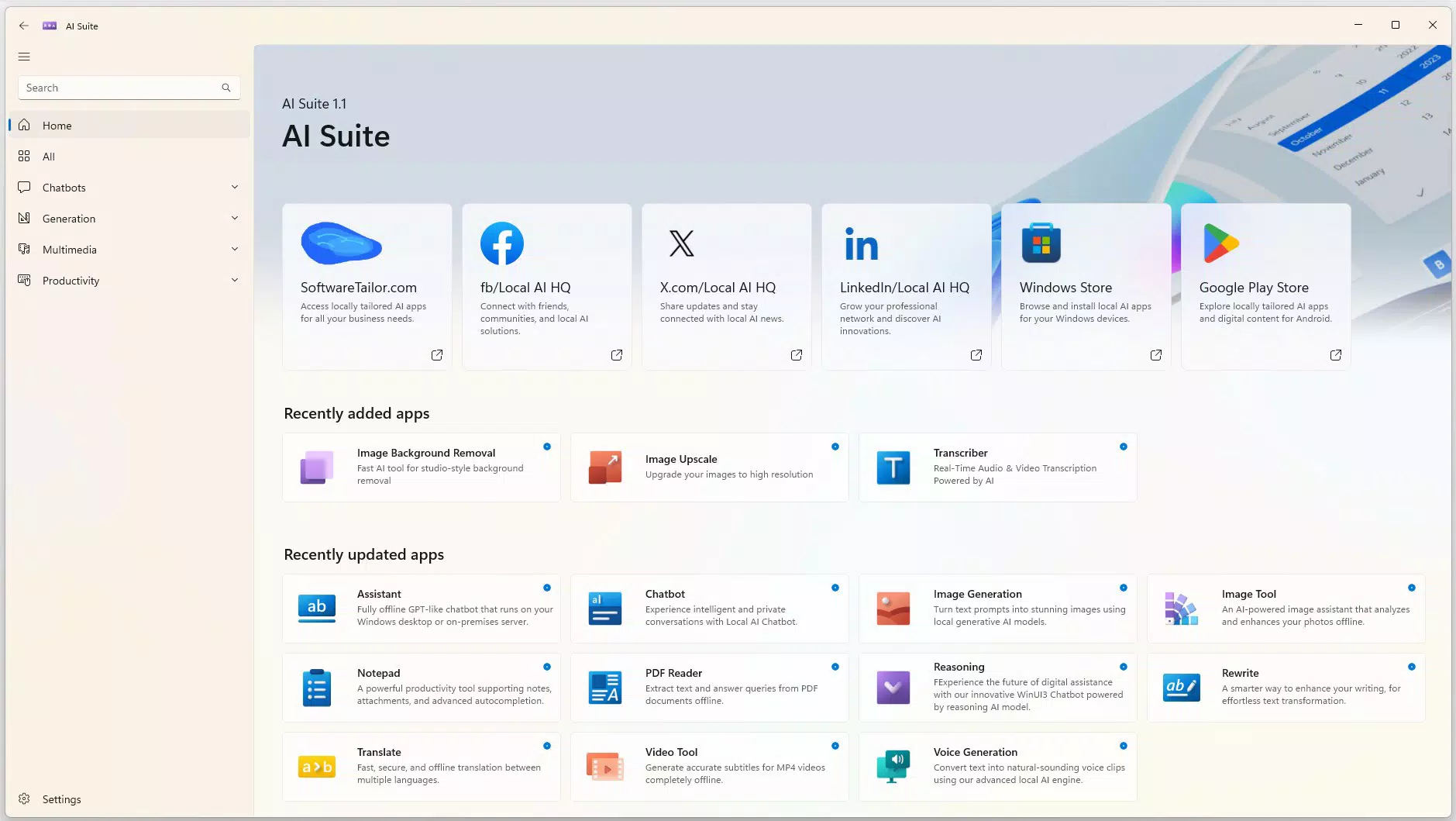
AI Suite features a clean, intuitive interface designed for ease of navigation and efficient task execution. The layout organizes tools into clearly labeled sections, allowing users to access specific functions with minimal effort. Visual design elements are minimalistic, emphasizing functionality over ornamentation, which contributes to a distraction-free workflow.
Navigation is straightforward, with a consistent menu structure and logical grouping of features. Users can switch between the chatbot, document tools, creative suite, and translation module without confusion. The responsiveness of the interface is smooth across various screen resolutions and device configurations, although the developer did not list formal performance metrics.
Although the developer did not list formal performance metrics, the application appears optimized for stable operation during extended use. The absence of cloud dependencies suggests efficient local processing, which may reduce latency and improve reliability. Stability is maintained through the use of offline AI models, minimizing the risk of connection failures or service outages. Overall, the UX reflects a mature design philosophy focused on usability, speed, and reliability in a privacy-first environment.
Platform Compatibility & Technical Requirements
AI Suite is designed for the Windows operating system. The application is available as a downloadable package, with a file size of 4.2 GB. The software version is 1.0.0, released on March 11, 2025. Specific requirements for RAM, CPU, or GPU were not listed by the developer.
The developer did not specify minimum OS requirements, nor did they disclose compatibility with different Windows editions (e.g., Home, Pro, Enterprise). Users are advised to ensure their system meets general standards for running AI-powered applications, especially those involving large models. While the app is not available on mobile platforms, its desktop focus makes it ideal for users who prioritize full-featured AI tools on larger screens and more powerful hardware.
Pros and Cons
Pros
- Operates entirely offline, ensuring data privacy and security.
- Combines multiple AI tools into a single, unified application.
- Supports document processing, image generation, and language translation without internet access.
- Intuitive interface designed for efficient navigation and productivity.
- Reduces dependency on cloud-based AI services and associated risks.
Cons
- Not available on mobile platforms such as Android or iOS.
- Specific system requirements were not disclosed by the developer.
- File size is relatively large at 4.2 GB, which may affect installation on low-storage devices.
- Limited information on underlying AI model performance or accuracy.
- Updates and future feature roadmap were not publicly shared.
FAQ
Is AI Suite safe to use offline?
Yes. AI Suite operates entirely offline, meaning no data is transmitted to external servers. This ensures complete privacy and security for all user inputs and files.
Can I use AI Suite without an internet connection?
Yes. All core features—including chatbot interactions, document processing, image generation, and translation—function without an internet connection.
Is AI Suite available for Android or iOS?
Currently, AI Suite is only available for Windows desktop. There is no mobile version available at this time.
How large is the AI Suite installation file?
The installation file size is 4.2 GB. Users should ensure sufficient disk space before downloading and installing the application.
Does AI Suite require a license or subscription?
AI Suite is offered as a one-time download with no recurring subscription fees. Pricing and licensing details were not specified in the provided information.
Final Thoughts + CTA
AI Suite represents a significant step forward in privacy-focused, locally powered AI tools. By consolidating essential functionalities—chat, document analysis, creative generation, and translation—into a single offline application, it delivers a powerful, secure, and efficient workflow for professionals, students, and creatives alike. Its emphasis on data sovereignty, combined with a clean and intuitive interface, makes it a standout choice for users who demand control over their digital environment.
While the lack of mobile availability and detailed system requirements may limit accessibility for some, the app’s core strengths lie in its reliability, privacy, and comprehensive feature set. For those working on sensitive projects or in environments with restricted connectivity, AI Suite offers a dependable, all-in-one solution.
Download AI Suite now


